By default, NPS Analytics shows the last 14 days of interactions.
There are two separate controls, and it's worth knowing which one you're using:
The filters at the top of the Analytics page change the range you're looking at right now. They don't carry over to your next visit.
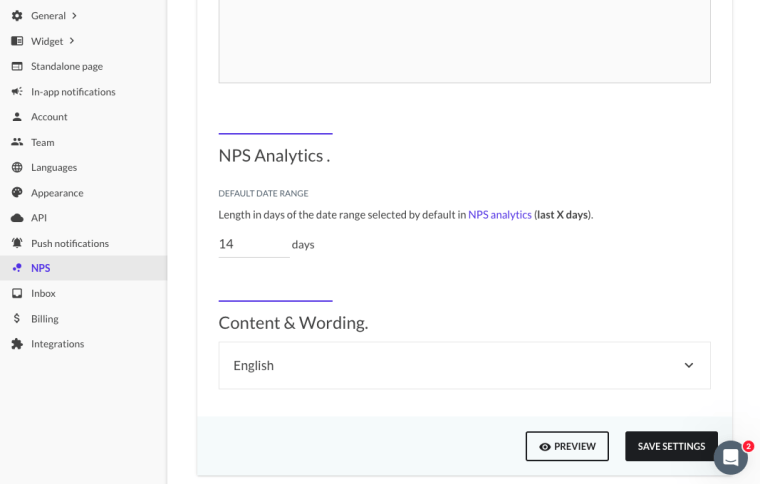
Default Date Range in your NPS settings sets the range Analytics opens with every time. This is the one to change if 14 days isn't the window you want.
To change the default date range
Go to NPS > NPS settings, or Settings > NPS.
Scroll to the NPS Analytics section.
Change the number of days in Default Date Range.
Save your changes.
If your saved default doesn't hold
Reload the Analytics page rather than relying on what's already on screen — the page filters and the saved default are separate, so an open page can still show an older range after you save. If a fresh load still opens at the old range, contact our support team with your Product ID and the range you saved.
Other NPS settings
To set up and configure Beamer NPS, see NPS quickstart: setup, customization, and timing at a glance.