When embedding our default script is not an option for your app, whether because it’s not a web app or because you prefer not to use third-party addons, you can still use our API to enable you to use .
In this guide, we’ll explain a simple implementation of Beamer in your web or native app using our API, by retrieving the number of unread posts and the URL of your Beamer feed to show to your users in a secureiframe or webview. This is probably the simplest implementation, but you can design your own and customize it all the way – just check out our API docs!
API request.
To implement the case described above, you only need to make a single request to our API. For this, we are going to use the /unread/count endpoint.
Doing a GET request to /unread/count will retrieve the number of posts (matching the optional query parameters sent in the request) that your user would see when opening your Beamer feed normally. The response to this request will also include the URL of your feed, so you can send your users to it, or show it in your web app with a secure iframe or your mobile app with a webview.
An example request would look something like this:
GET https://api.getbeamer.com/v0/unread/count?filter=paid-user&dateFrom=2019-01-01T00:00:00Z&userId=1234&userFirstName=John&userLastName=Doe&userEmail=john@getbeamer.comIn this example request, we are passing in a segment filter (‘paid-user’) through the filter parameter, in order to retrieve any posts that have the same filter -if any-, in addition to posts that don’t have any filters. This works just like the filter parameter for the embed script.
Also, we are sending in dateFrom, which will make sure only posts published from that date (2019-01-01T00:00:00Z) onwards are counted.
Keep in mind that the /unread endpoint will only count posts that are visible in your feed (draft, archived, deleted, scheduled and expired posts will not be counted here), so there’s no need to explicitly query posts by their published or archived status for example, as you would when calling the regular /posts endpoint.
Here’s what the response to that request would look like:
{
"count": 10,
"url": "https://app.getbeamer.com/news?app_id=mZXqptmd65&language=en&filterByUrl=true&role=paid-user&custom_user_id=1234&email=john%40getbeamer.com&firstname=John&lastname=Doe"}
The JSON response includes two properties: count, which is the total count of unread posts matching the query, and url, which is the URL of your feed to show to your user.
Iframe on a secure web app.
An example case of using this in a secure and sandboxed iframe, for example, would be showing the count number over a certain icon or menu item in your site (just as our embed script does), and then opening the feed URL in an iframe when clicking on that icon or menu item.
<iframe allowfullscreen sandbox="allow-same-origin allow-scripts allow-popups allow-forms allow-top-navigation" src="FEED_URL"></iframe>You can play around with different security attributes to make sure that Beamer matches your security constraints. In this way you can make sure Beamer does not have access to any sensitive data on your app.
Webview on mobile app.
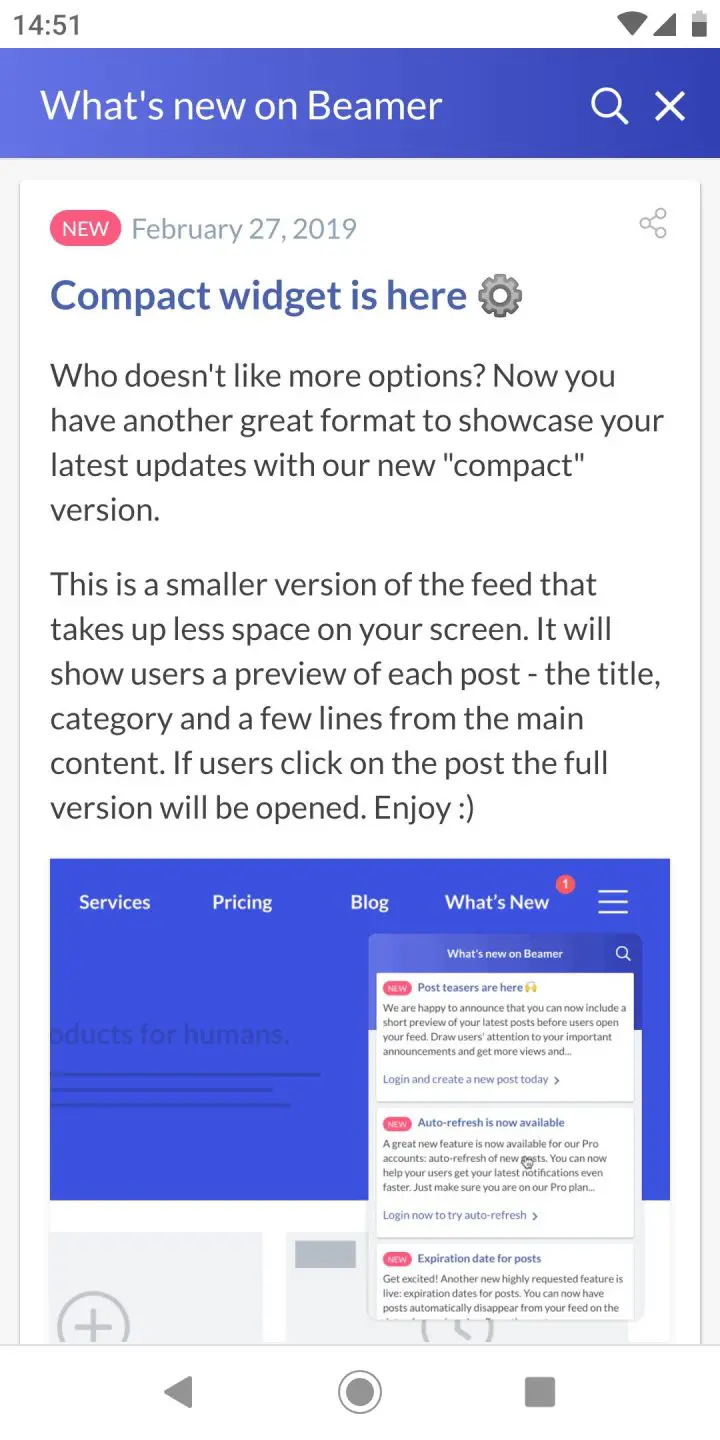
An example case of using this in a native mobile app, for example, would be showing the count number over a certain button in your site (just as our embed script does), and then opening the feed URL in a webview when clicking on that button.
Taking advantage of userId. pro and up
If you are on the Pro or Scale plan and have multi-device synchronization enabled, you can skip the dateFrom parameter and just keep the userId parameter instead. This userId should be a unique identifier for your user (your own app’s user id).
When doing this, we will store the last time your user visited your Beamer’s feed, so the unread posts will only be counted from that date on – no need to explicitly send a date in the request. This is helpful if you don’t want to keep record of this date in your side, or if your users regularly enter your app from different devices.
Reading post data without changing it
When you call GET /unread for a user, two parameters default to true:
markAsReadmarks the returned posts as read for that user, so they aren't returned again.saveViewsrecords a view on each returned post in your analytics.
To read the data without changing anything, add both parameters:
GET https://api.getbeamer.com/v0/unread?userId=1234&markAsRead=false&saveViews=falseKeep these in mind when you test or build reports on the API:
An unknown
userIdcreates a new user. Beamer registers anyuserIdit hasn't seen, and it appears in Users as "API User." Use your real user IDs when testing, and delete any test users afterwards so they don't affect your user counts."Read" means the user has opened their feed since the post was published. It doesn't mean they looked at that post.
GET /unreadtells you which posts are still new to a user, not which posts they engaged with.You can't look up an advanced segment through the API. Posts targeted at an advanced segment show its ID in the
filterfield onGET /posts(for example,s_HvqqvZpp67990). There's no endpoint that returns a segment from its ID or lists its users. The dashboard doesn't show segment IDs either, so to find the segment, go to Users and filter by each segment until you find the match, then export its users to CSV.
Keeping your requests secure
If you will be doing requests from the front-end side of your app, we recommend creating and using a separate API key that has read-only permission, for obvious security reasons.
You can easily create and edit your API keys in your dashboard, right from Settings > API.