Users don’t always have time to engage with a Flow when it appears. Whether it’s a survey they’d prefer to complete later or a new feature introduction during a busy period, giving users the option to snooze can improve their experience and increase completion rates.
Adding a snooze option in Userflow is straightforward. Simply add a snooze button to any step in your Flow and specify the snooze duration. (The button can have any label, not just “Snooze,” for example, “Remind me later” or “Ask me again later.” The Flow will automatically reappear after the set time period, giving users flexibility without losing the opportunity for engagement.
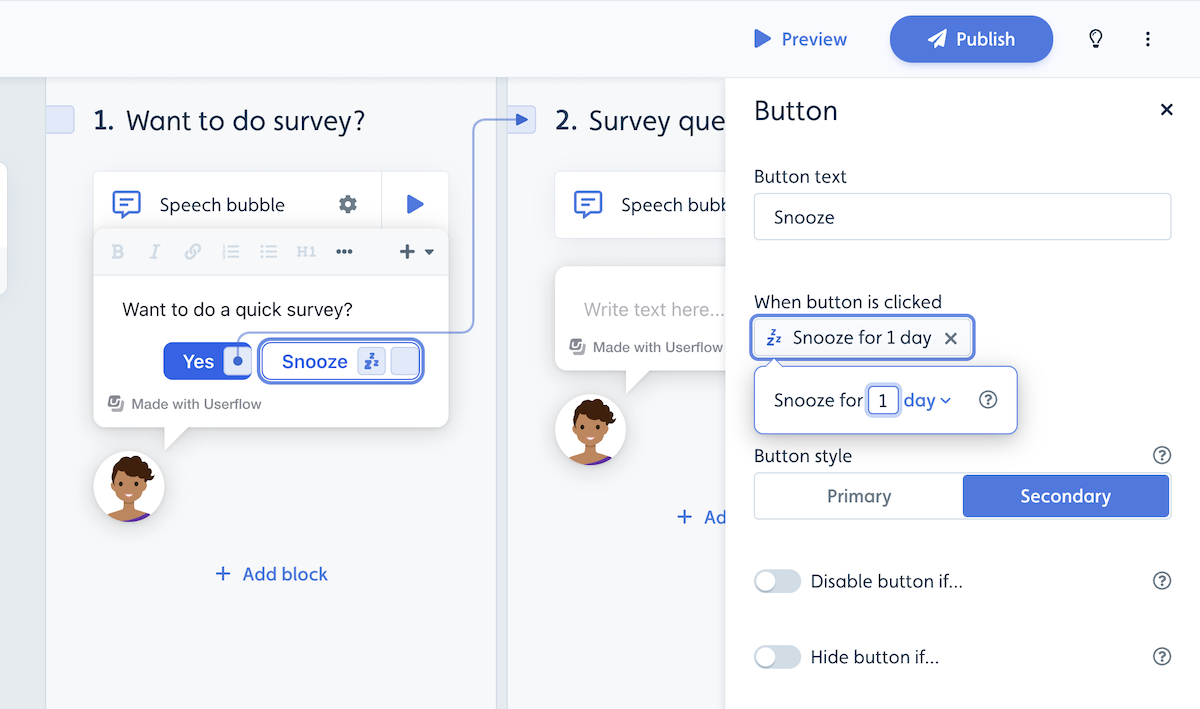
If the user clicks the snooze button, the Flow will close and restart when the snooze time has passed, and the auto-start conditions (if any) are true again.