Each Adoption Agent in Userflow has an Analytics tab that shows how people use it: every conversation, how users rated the replies, which questions the agent couldn't answer, and when it offered users a human. Use it to find gaps in the agent's sources and fix them.
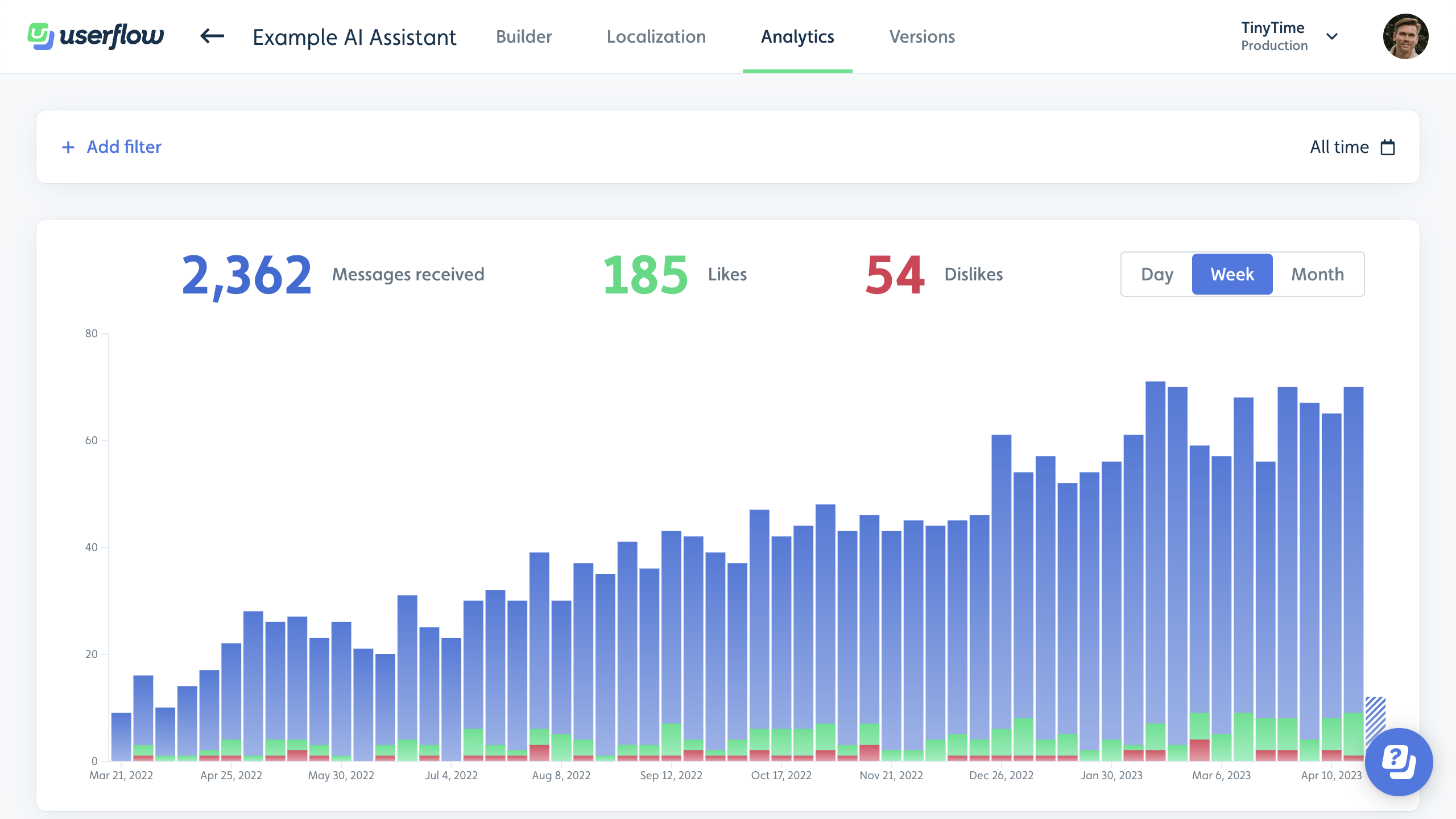
Open an Adoption Agent's analytics
To see analytics for an Adoption Agent in Userflow:
Select Adoption Agent from the sidebar.
Open the agent.
Click the Analytics tab.
What the Adoption Agent analytics show
The Analytics tab for an Adoption Agent tracks:
What you see | What it tells you |
|---|---|
Messages sent | How many questions users asked the agent, and how that changes over time. |
Ratings and feedback | Thumbs up and thumbs down on replies, or a CSAT score, depending on the agent's Rating mode, plus any written feedback users left. |
Unanswered questions | How often the agent said it couldn't find an answer. This isn't an accuracy score: a reply that was confidently wrong counts as answered. |
Handovers | How often the agent offered users a human, by type (the user asked, the user disliked a reply, or the agent couldn't answer), how often the offer was clicked, and the trend over time. |
Read an Adoption Agent's conversations
The Analytics tab lists every conversation your Adoption Agent has had. Show all conversations, or filter by topic to see related ones. Click a conversation to read the full message history, including any rating and written feedback.
Your users can't see their own past conversations with the agent. Only you can, here.
What are Noteworthy Topics?
Noteworthy Topics in Adoption Agent analytics group conversations into topics that need your attention, based on how often they come up, how often users disliked the answer, and how often the agent couldn't answer. Click a topic to see a summary and the conversations behind it.
Noteworthy Topics are updated once a week from the last 30 days of messages.

Export Adoption Agent conversations
To download your Adoption Agent conversations, click Export on the Analytics tab. Userflow creates a CSV file.
Fix what Adoption Agent analytics show you
What you find in Adoption Agent analytics usually points to one of these fixes:
Questions the agent couldn't answer: the answer is missing from the agent's sources, or written in a way the agent can't match to the question. Add or reword the source content.
Disliked answers: read the written feedback on the conversation to see what was wrong.
Users stuck with no answer: set a static fallback message, or turn on human agent handover.
All three are set up in Adoption Agent settings: response language, custom instructions, handover, and limits.
To turn the last 7, 30 or 90 days of conversations into a shareable topic report, see Find out what people ask your Adoption Agent with AI using the userflow-adoption-agent-topics skill.
Related articles
Adoption Agent settings: response language, custom instructions, handover, and limits
Set up your Adoption Agent: add sources, test, publish, and add it to your Resource Center
Find out what people ask your Adoption Agent with AI using the userflow-adoption-agent-topics skill
Userflow-generated events (to send Adoption Agent events to your own analytics tool)