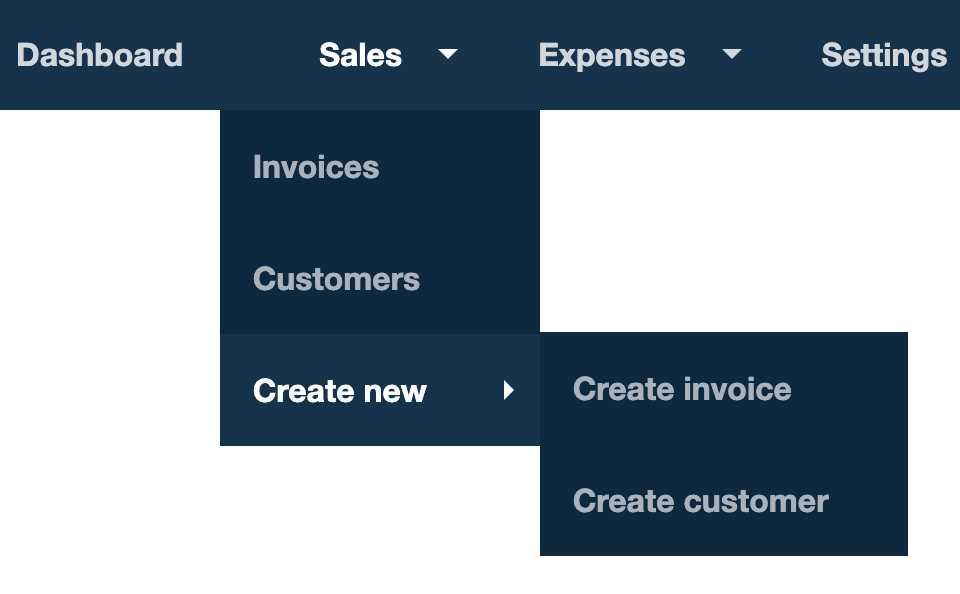
A nested menu opens more options when the user hovers over an item, like Sales > Create new > Create invoice. To guide users through one, use one tooltip step for each level of the menu, with triggers that move forward when the next level appears and back if it closes.
How do I guide users through a nested menu?
Add one tooltip step for each menu item the user hovers over or clicks. In this example the user hovers over Sales, then Create new, then clicks Create invoice, so the flow has three tooltip steps.
Move forward when the next level appears. Every step except the last has a step trigger with an Element is present condition for the next level's menu item. For example, step 1 has a trigger that goes to step 2 when "Create new" is present.
Go back if the menu closes. If the user hovers off the menu, the next level disappears. So every step except the first also has a trigger that goes back to the previous step when its own menu item is no longer present. For example, step 2 goes back to step 1 when "Create new" is not present, and the user is asked to hover over "Sales" again.
Finish on the click. The last step moves on when its menu item is clicked. Here, step 3 goes to step 4 when "Create invoice" is clicked.
To add triggers, see Step triggers in Flow builder basics.
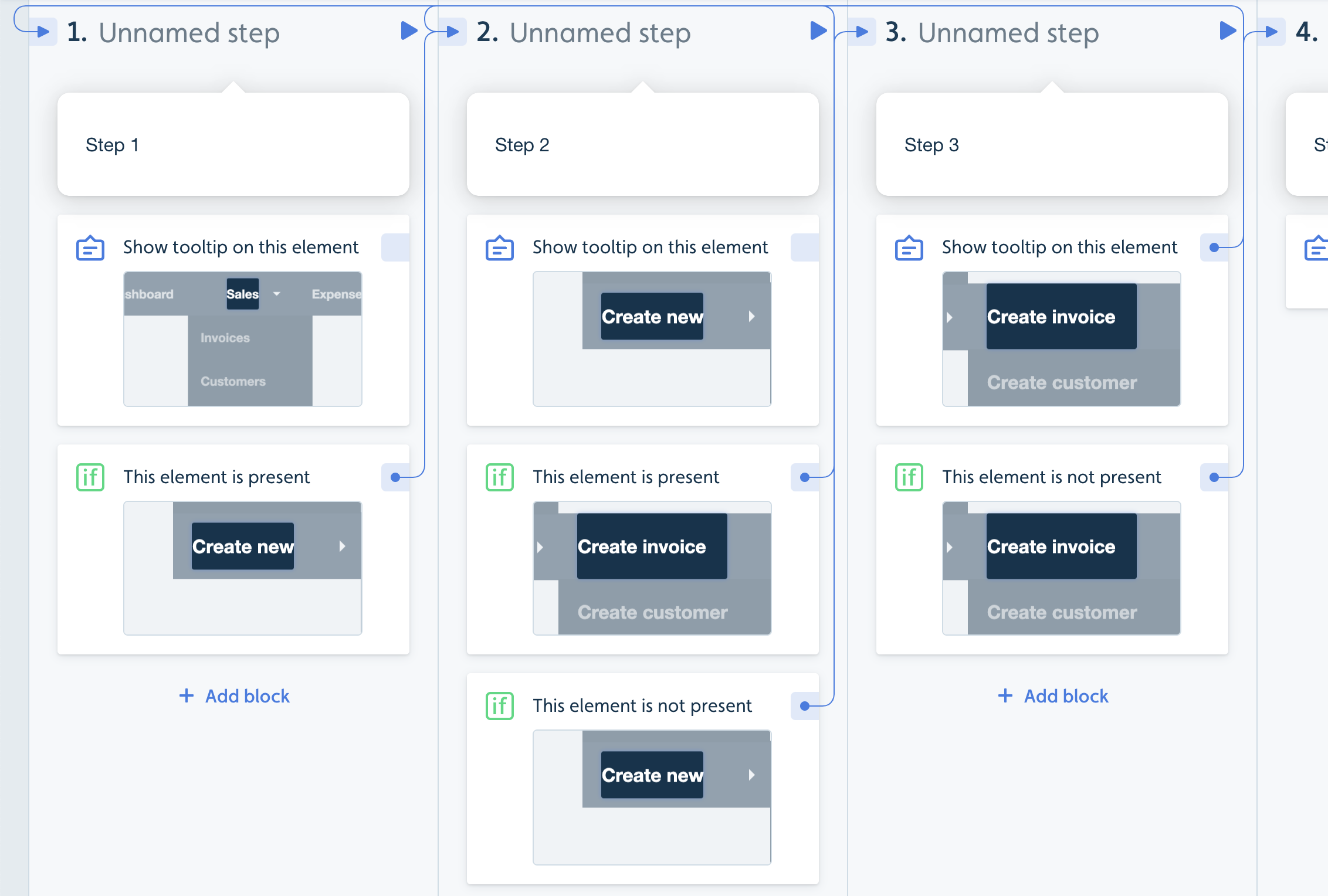
The same setup, step by step
Step 1: tooltip on "Sales"
Trigger: if "Create new" is present, go to step 2
Step 2: tooltip on "Create new"
Trigger: if "Create invoice" is present, go to step 3
Trigger: if "Create new" is not present, go back to step 1
Step 3: tooltip on "Create invoice"
When the tooltip target is clicked, go to step 4
Trigger: if "Create invoice" is not present, go back to step 2
Does this work for menus with two levels, or more than three?
Yes. Use one step per level. For example, to guide users to Sales > Customers:
Step 1: tooltip on "Sales"
Trigger: if "Customers" is present, go to step 2
Step 2: tooltip on "Customers"
When the tooltip target is clicked, go to step 3
Trigger: if "Customers" is not present, go back to step 1
If Userflow can't find a menu item, see Element not found.