A purpose statement is the short description you give Smartflow when you create a flow. It tells the AI what the flow helps users do and why, and it has a direct effect on the quality of the flow Smartflow builds. This page shows how to write a good one, with examples.
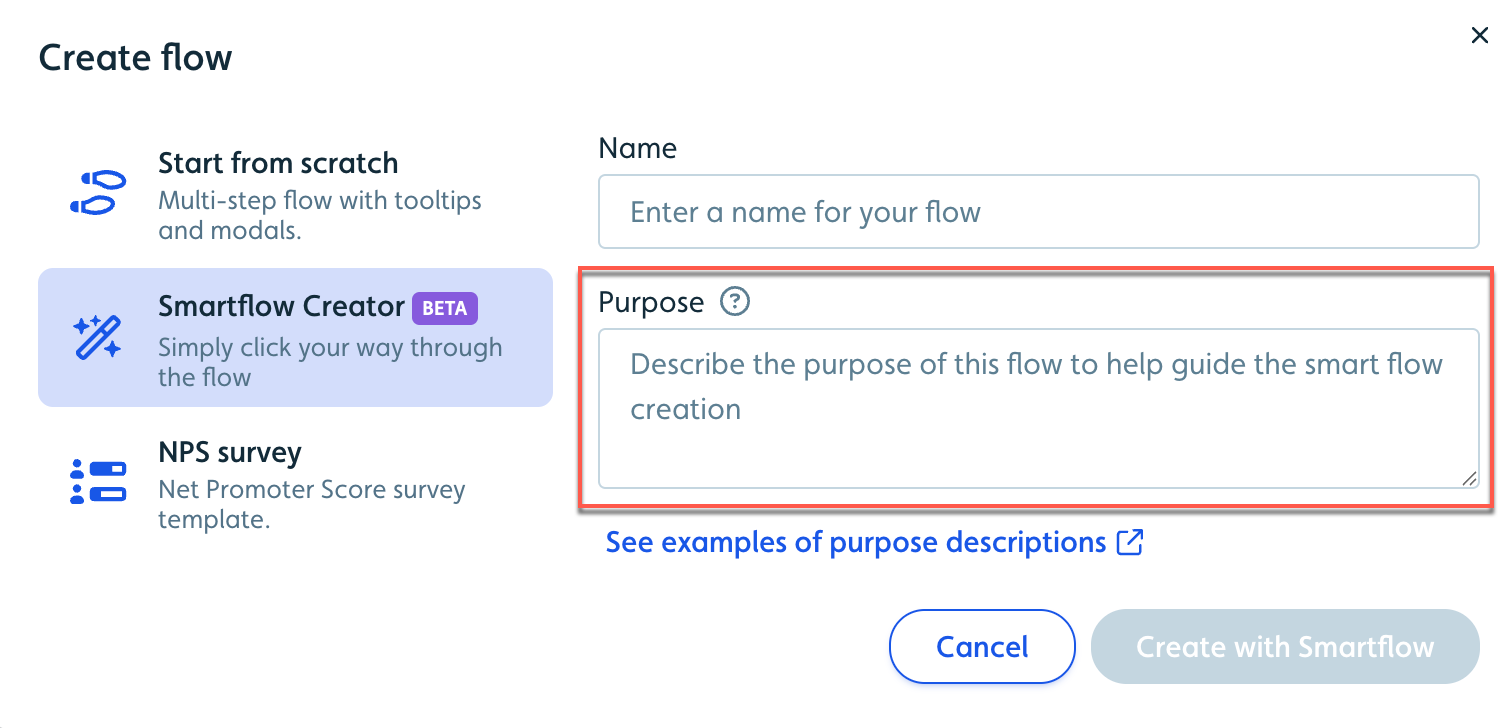
To create a Smartflow, see Creating AI-generated Smartflows.
What makes a good purpose statement?
A good purpose statement answers three questions:
What action? For example: creating, updating, inviting, finding.
What feature? For example: a project, billing settings, a team member.
What goal or benefit? For example: get started, finish setup, customize a view.
Put them together: [Action] + [Feature] + [Goal or benefit].
Example: "Guide users through creating their first dashboard so they can visualize their data."
Keep it generic, encouraging, and focused on what the user does, so the flow works for all of your users.
Purpose statement do's and don'ts
Do | Don't |
|---|---|
Keep it generic and reusable | Include specific names or data |
Focus on the actions users take | Describe UI elements or buttons |
Explain the outcome | Use passive labels like "This is an onboarding flow" |
Think about all users | Reference specific examples or IDs |
Common purpose statement mistakes
Mistake | Wrong | Right |
|---|---|---|
Too specific | "Help John Doe fix bug 404 in MyProject" | "Help users create and track bug reports" |
Names UI elements | "Click the Settings gear icon, then the Integrations tab" | "Guide users through account configuration and integration setup" |
Uses specific IDs | "Find ticket AB-893 in JIRA-123" | "Help users locate their account-specific identifiers" |
Passive | "This is a feature overview" | "Show users how to use the main features effectively" |
Describe where users are going and why. Let the AI work out the individual steps.
How do I set the tone, length, and ending of a Smartflow?
Add a few words to the end of your purpose statement.
Tone:
Friendly: "...using an encouraging, friendly tone"
Professional: "...with clear, professional instructions"
Casual: "...in a relaxed, conversational style"
Length:
Short: "...in under five steps"
Detailed: "...with clear decision points at each stage"
Focused: "...highlighting the choice between basic and advanced options"
Ending:
Celebrate: "...end with celebrating their successful setup."
Confirm what they did: "...finish with confirmation of what they've accomplished and what they can do, such as 'You're all set! Time to create!'"
Point to what's next: "...conclude by encouraging them to explore the new feature."
You can also change the tone or length of individual steps after the flow is built with AI Rephrase.
Purpose statement examples
Example 1: Feature onboarding
Purpose: "Guide the user with a friendly, encouraging tone through the process of creating and publishing their first report in the Analytics dashboard. The final step must celebrate their successful publication and encourage immediate review."
Why it works: a clear action (creating and publishing), a specific feature (Analytics dashboard reports), a defined outcome (publication), tone guidance (friendly, encouraging), and a strong ending (celebration and next steps).
Example 2: Configuration setup
Purpose: "Walk the user through the settings configuration, ensuring the copy highlights the choice between basic and advanced options using a professional tone. The goal is to successfully configure a new integration and link the account, keeping the process to six steps or fewer."
Why it works: a clear process (settings configuration), an important decision point called out, and a length limit (six steps or fewer).
Example 3: Quick start
Purpose: "Help new users set up their profile and workspace in under four steps with concise instructions. End with 'You're ready to go!'"
Why it works: a specific goal (profile and workspace setup), a clear limit (under four steps), style guidance (concise), and a memorable ending.
Purpose statement checklist
Before you create the Smartflow, check:
Could this work for any user, not just one person?
Does it say what users do, not what they see?
Is the end goal clear?
Does it avoid naming specific buttons, tabs, or other UI elements?
Would it make sense without any specific user data?
Not sure where to start? Use this template: "Help users [action] their [feature] to [achieve goal]", then add any tone, length, or ending you want.
Privacy Assurance and Smartflow Creation
Userflow prioritizes your privacy by ensuring that no personally identifiable information (PII) is shared with OpenAI during the Smartflow creation process. Only screenshots are captured to construct the flow steps, and these are never used to train AI models or any other purposes. To maintain the highest standards of data security, we strongly recommend using non-sensitive, sample data when building your Smartflows—this gives you complete control over what is included. Refer to our Terms of Service for additional details.