When a user starts a flow from a checklist or the Resource Center, they may not be on the page the flow needs. This page shows three ways to get them there first: send them from inside the flow, guide them there yourself, or send them from the checklist or Resource Center before the flow starts.
Method 1: Send users to the page from inside the flow
Add a first step, a modal or speech bubble, with a button that has a Navigate to page action. To skip the step for users who are already on the page, add a step trigger with a Current page (URL) condition that goes straight to the next step.
Pros: works wherever the flow is started from (checklist, Resource Center, or anywhere else).
Cons: adds a step to your flow.
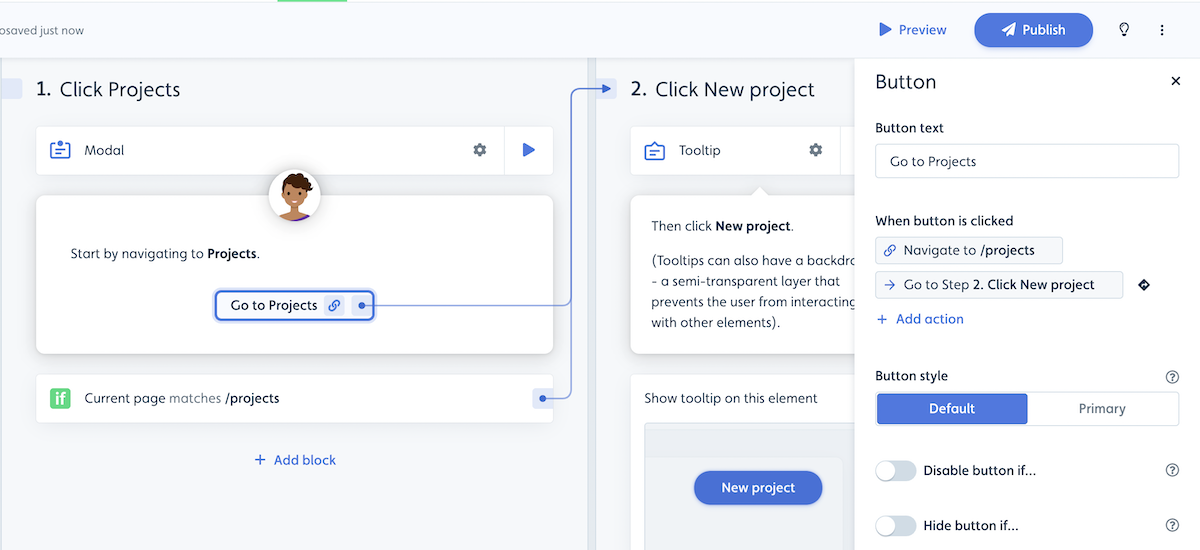
To send users without asking them to click, use a hidden step instead: give it a trigger with a Navigate to page action, and a second trigger that moves on when the user is on the right page.
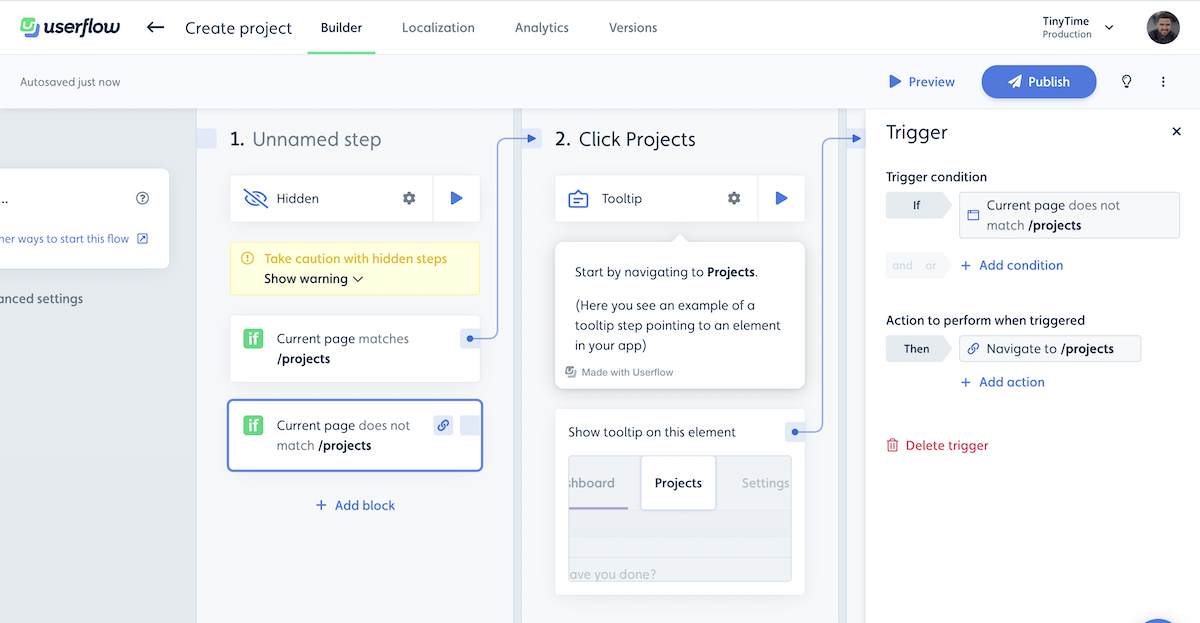
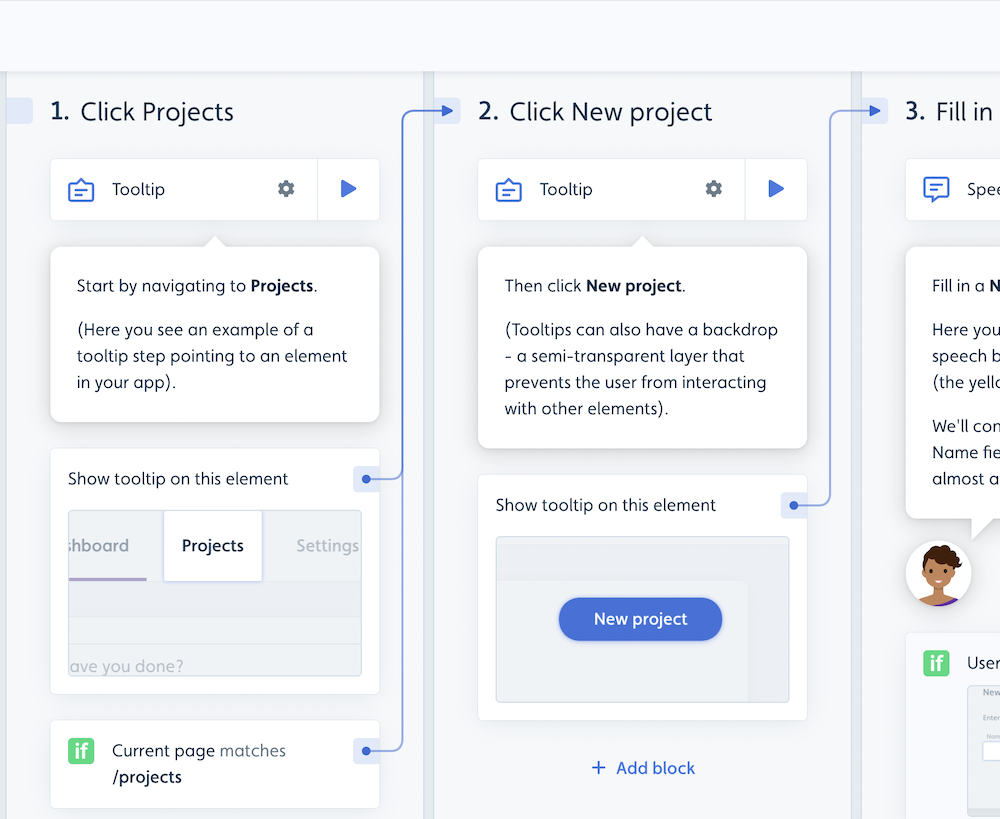
Method 2: Guide users to the page step by step
Use tooltips to point at the menu items or links that lead to the page. Add a Current page (URL) trigger so users who are already there skip these steps.
Pros: users learn how to find the page themselves next time.
Cons: adds extra steps to your flow.
Method 3: Send users to the page from a checklist or the Resource Center
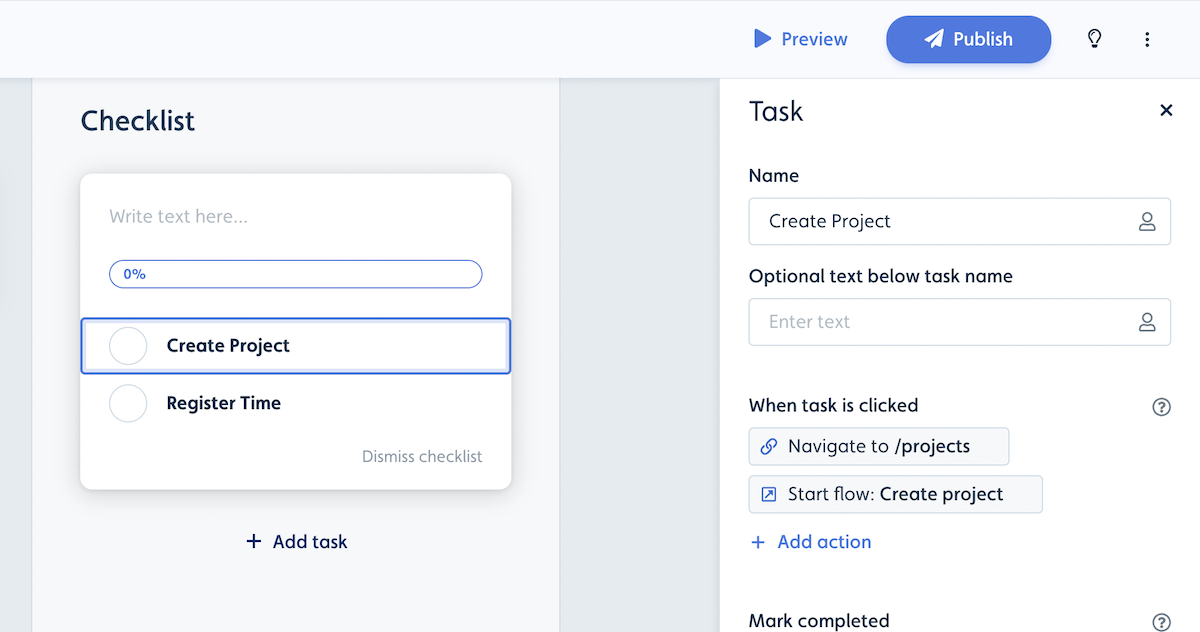
From a checklist task
Give the checklist task two actions: Navigate to page, then Start flow. The user lands on the page and the flow starts there. For the full steps, see Redirect users to a page before a checklist starts a flow.
From the Resource Center
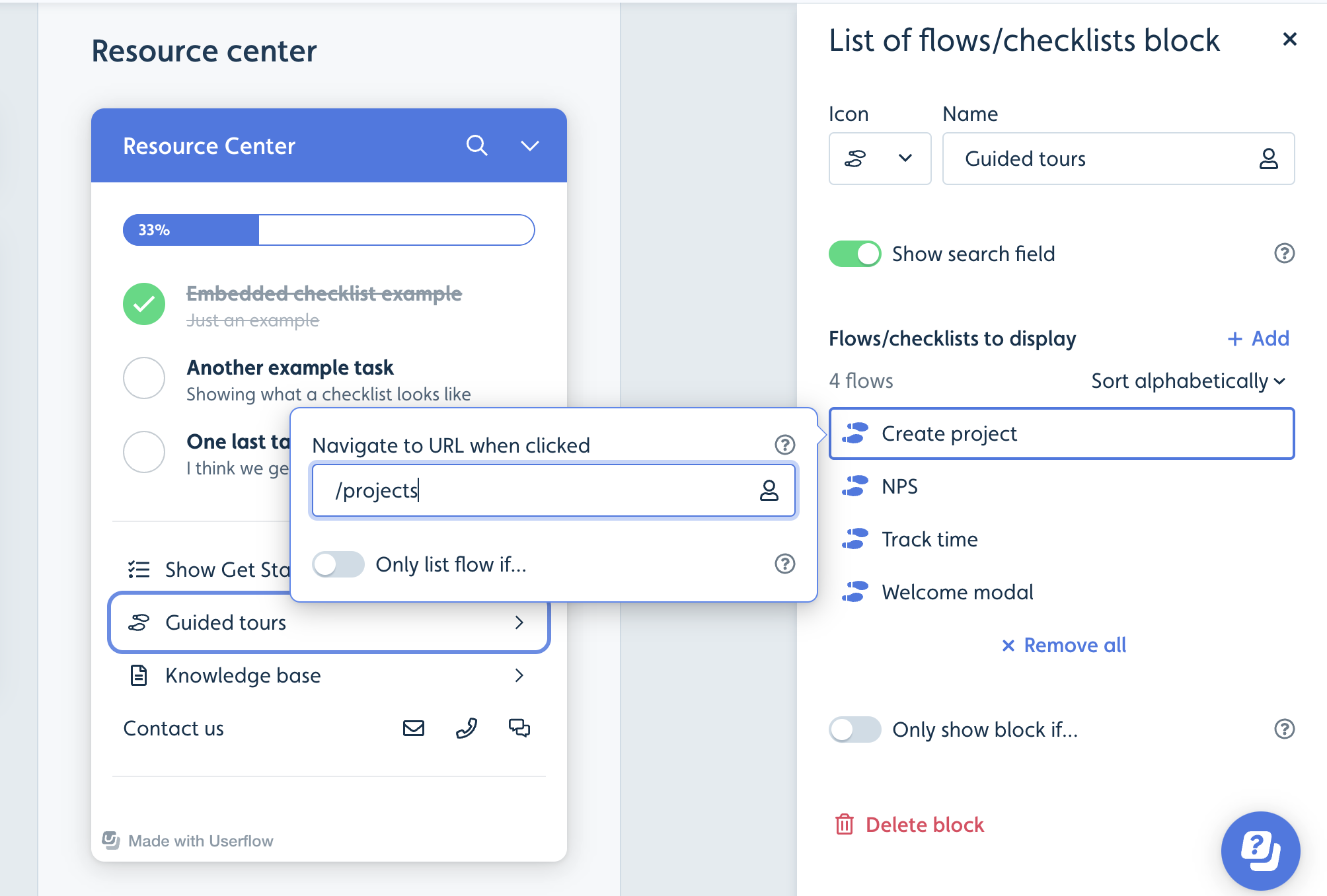
In the Resource Center, use an action block with the same two actions, or set a page for the flow in a Flow/checklist block.
Which method should I use?
The flow can be started from several places: use Method 1, since it works wherever the flow starts.
You want users to learn the way to the page: use Method 2.
The flow is only started from one checklist task or Resource Center block: use Method 3 and keep the flow itself shorter.