A hidden step is a flow step that shows nothing on screen. It waits in the background until one of its triggers fires, then moves the flow on. Use one when the step before it asks the user to do something in your app and you don't want any Userflow content showing while they do it.
Caution
A hidden step must have at least one trigger that reliably fires during the user's current session and leads to a visible step, a new flow, or the end of the flow. If its triggers never fire, or take a long time, the user is stuck on the hidden step. They won't see any Userflow content, but the active flow blocks other content, including flows, checklists, and launchers, from appearing.
Make sure users leave hidden steps quickly so other content isn't blocked.
How do I make sure users don't get stuck on a hidden step?
Write triggers for the wrong path as well as the right one. Users don't always do what the flow expects.
Example: a project creation flow asks users to click New project, which opens a modal in your app. The flow should stay hidden while the user fills in the modal, then continue once the project is created. A first attempt could look like this:
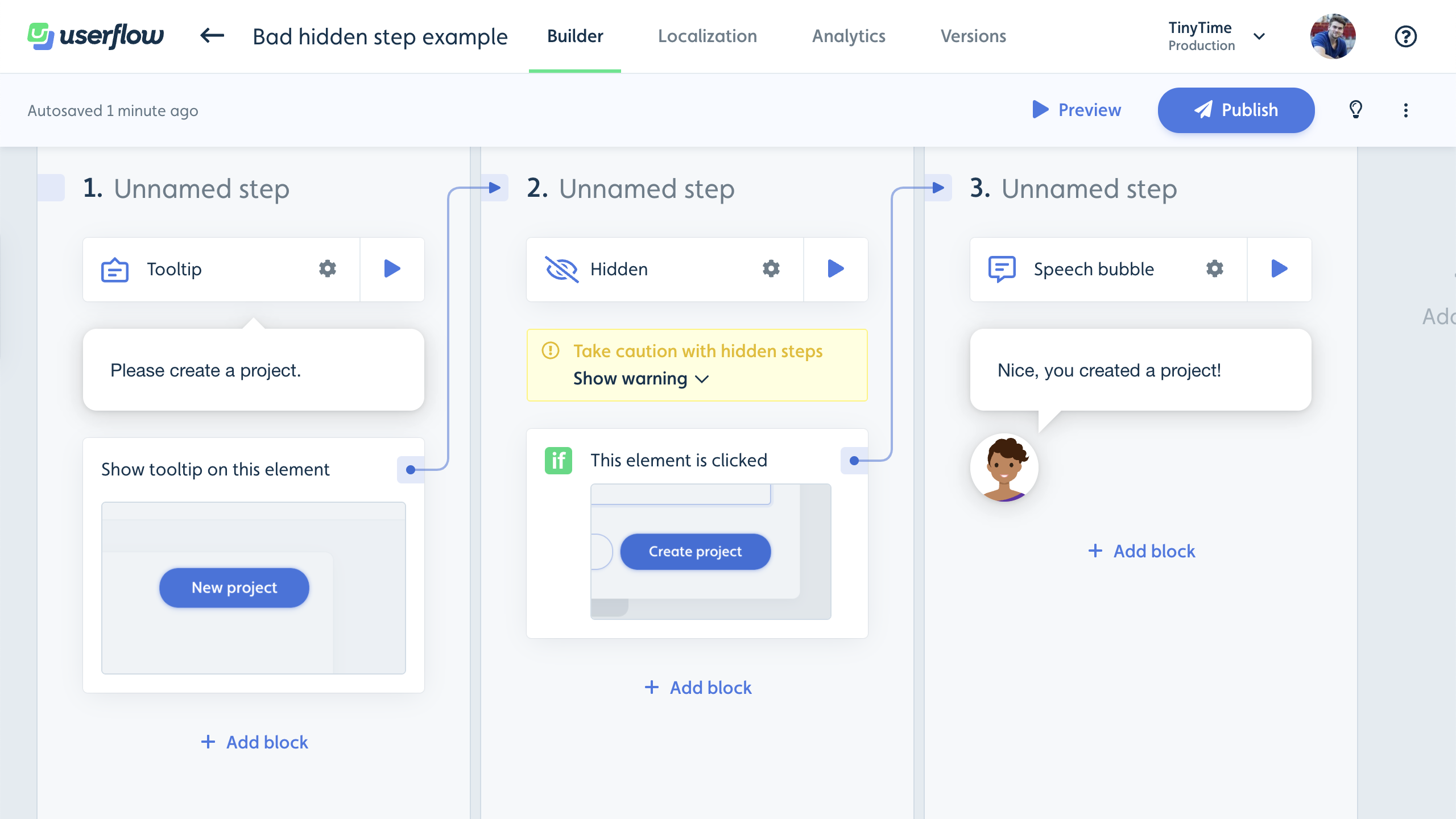
What if the user closes the Create project modal instead of finishing it? They'd be stuck on step 2 forever, because they never clicked Create project.
This video walks through a better way to build the same flow:
To add triggers to a step, see Step triggers in Flow builder basics.
When should I avoid a hidden step?
Use hidden steps only when you really need one.
If a flow is waiting for the user to do something in your app, it's usually easier to show a speech bubble or tooltip telling them what to do. A visible step stays on screen, so a user who does something unexpected, such as closing your app's modal instead of finishing it, isn't left stuck on a step they can't see.
If you're using a hidden step as a "logic router", one that goes to a different step or URL depending on a condition, it's often simpler to move its triggers to the step before or after it and delete the hidden step.
Example: a flow should make sure the user is on the right page before it starts. You could do that with a hidden step:
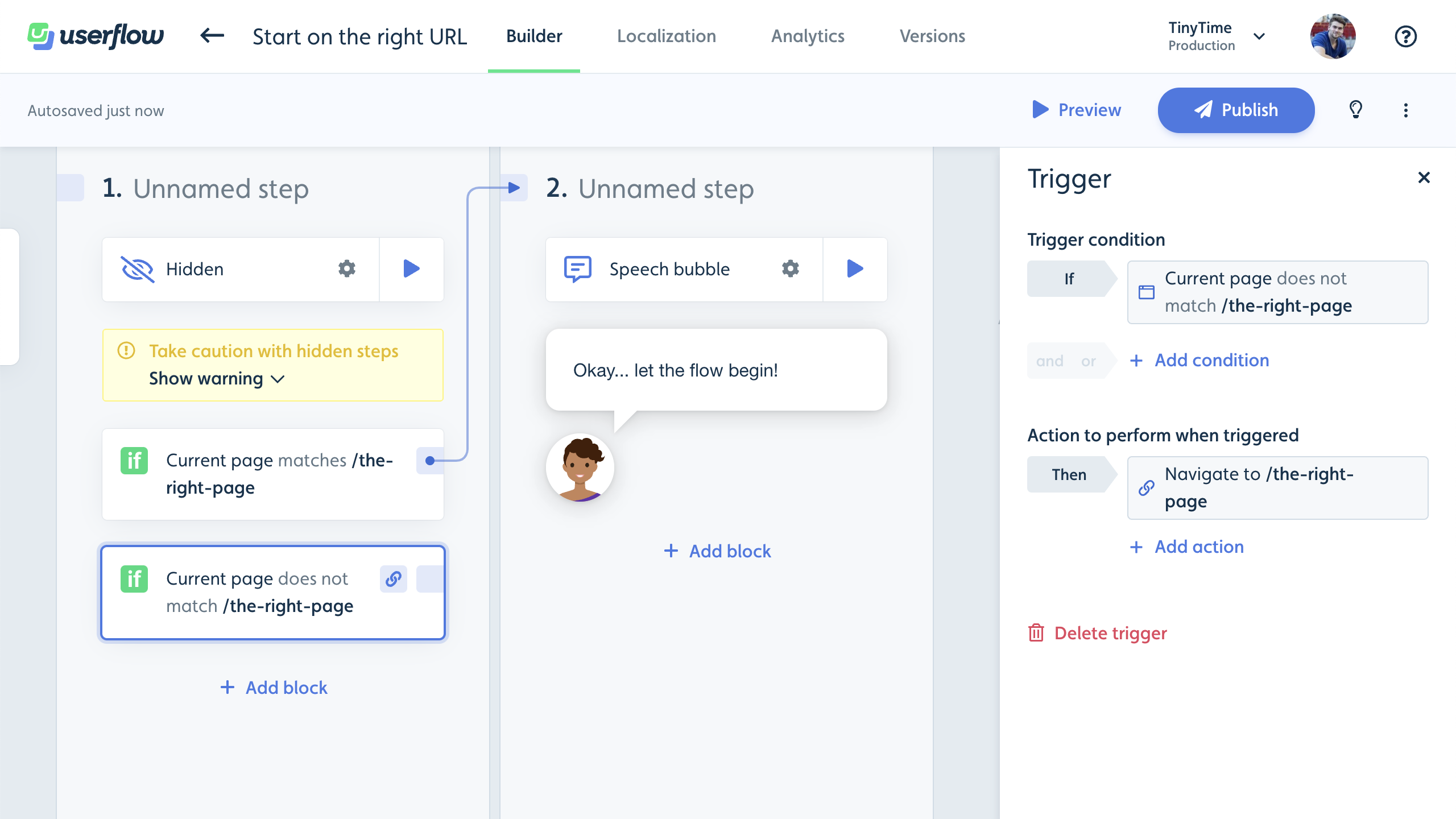
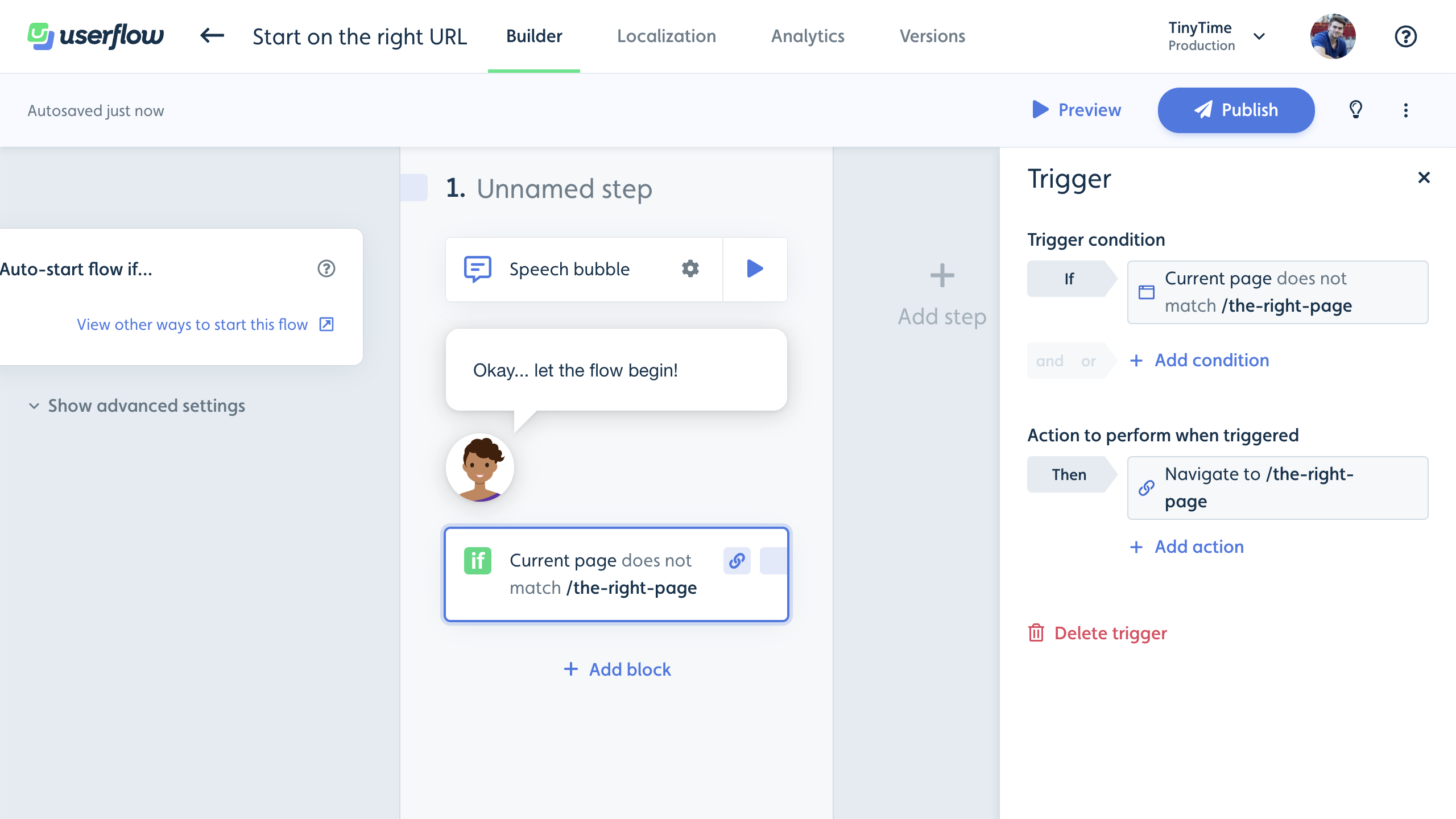
If the user is on the right page, the first trigger moves them to step 2 and the flow begins. If they're not, the second trigger sends them to the right page with a Navigate to page action. You can simplify this by moving the second trigger to step 2 and deleting step 1:
For other ways to send users to the right page first, see How to navigate to a page when a flow starts.
How do I tell if a user is stuck on a hidden step?
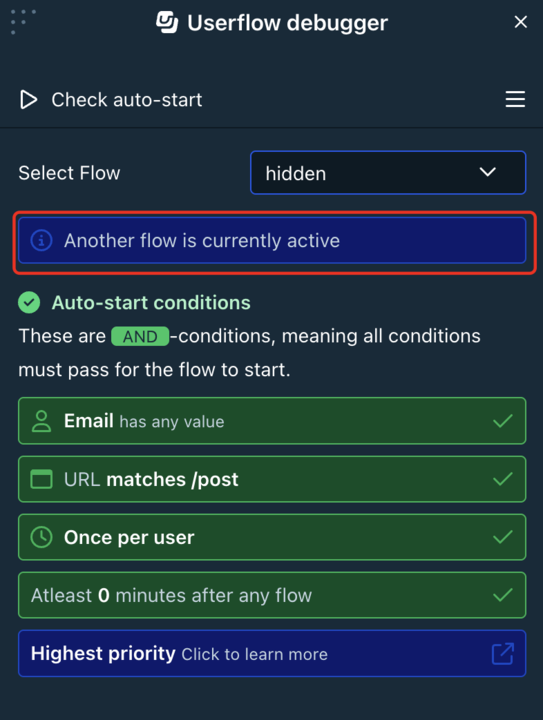
Open the Debugger for that user. If they're stuck on a hidden step in an active flow, the Debugger shows the status Another flow is currently active.
If other flows aren't starting for that user, see Flow not starting.